


Starter
Get started with the essentials.
$0/ month
- 1 creator page
- Import from TikTok, 10 videos at a time
- Up to 10 videos on your map
- Basic customization
- Up to 5 custom buttons
- Core analytics
Import from Linktree
Paste your existing Linktree URL, bring your links into SocialPin, and create a more useful link in bio.
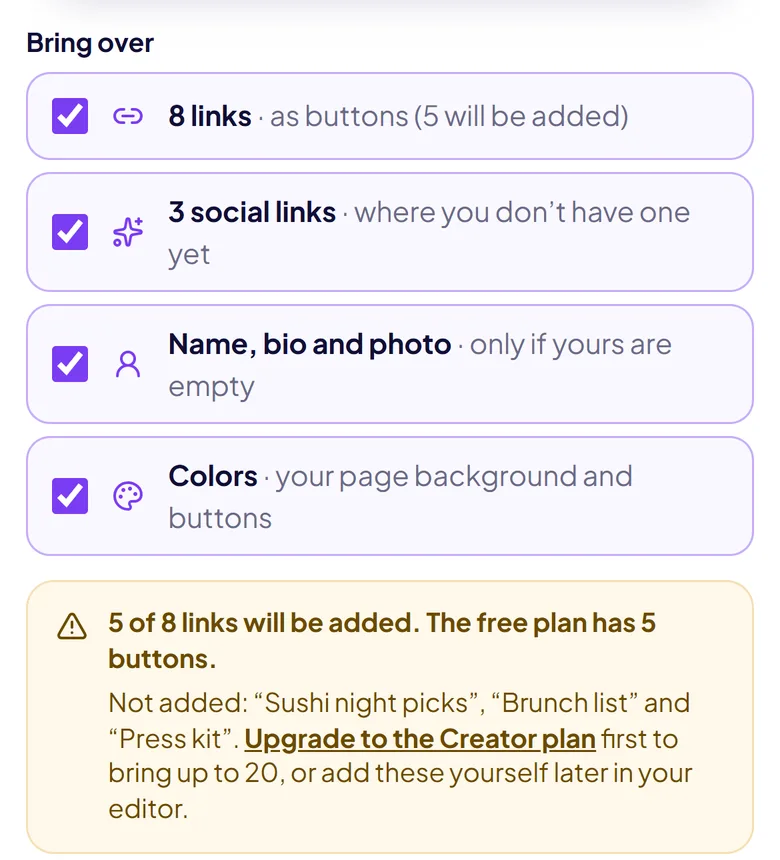
Importing is free. The free plan holds up to 5 buttons, and you’ll see what fits before anything is added.
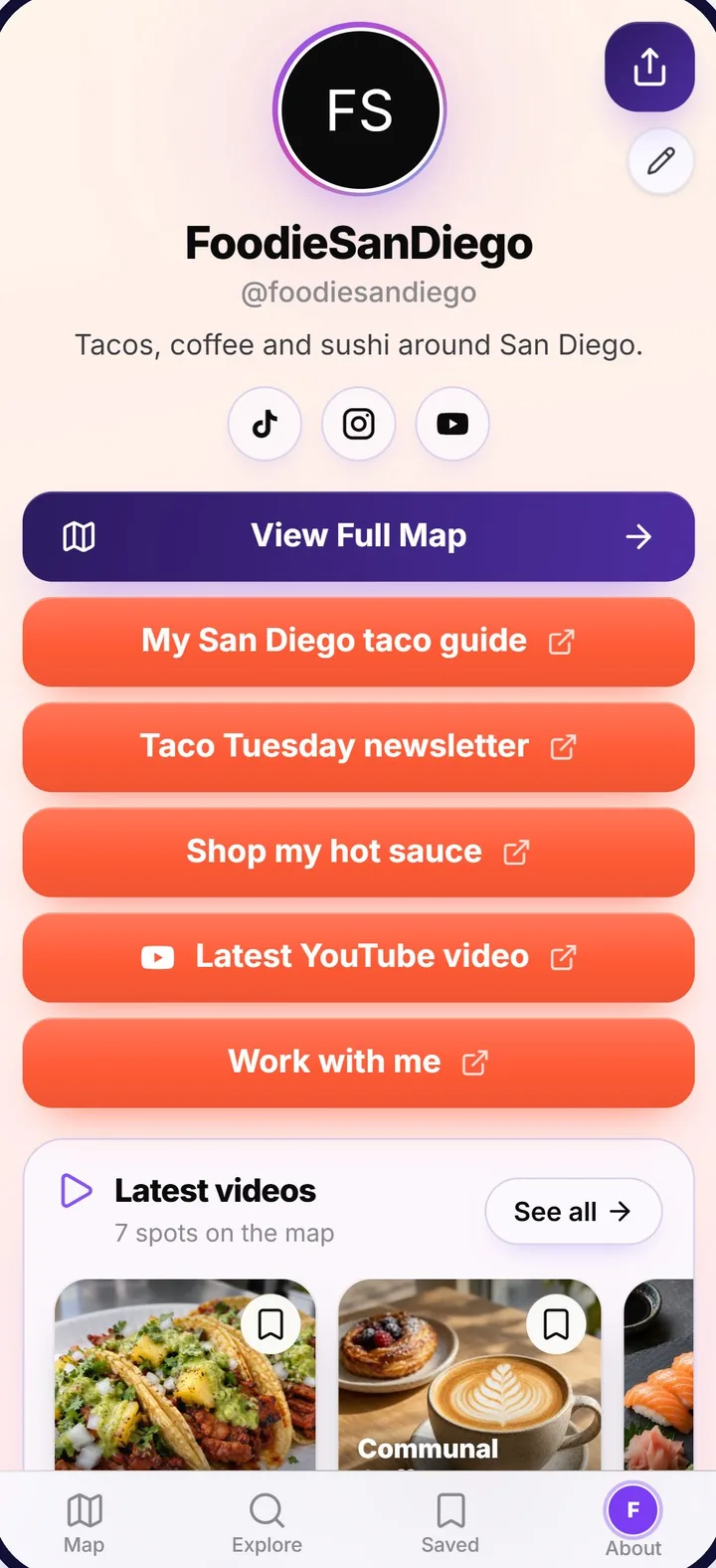
Start your import
Works with Linktree and Beacons pages. No link page yet? Start from scratch.
How it works
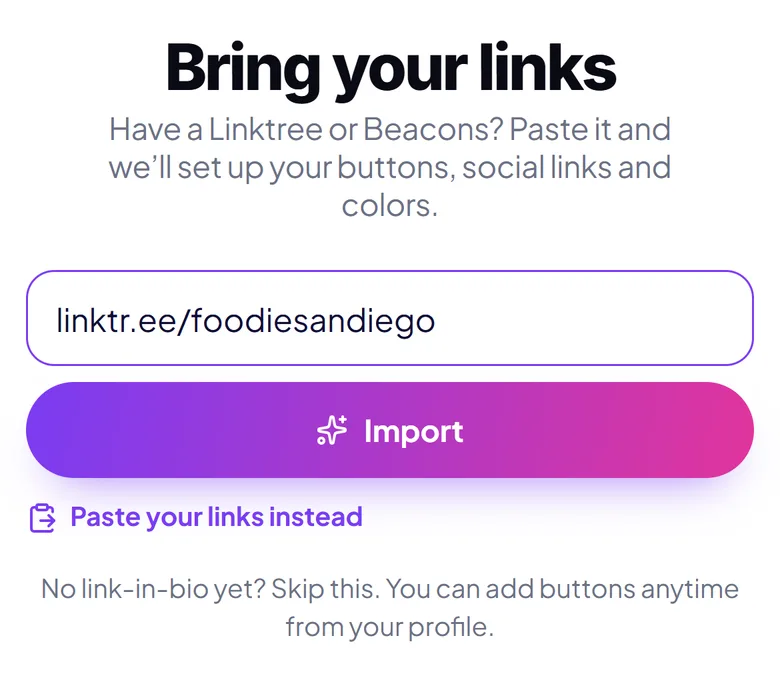
Create your free account and paste it on the “Bring your links” step, or any time later from your Profile page. We read your public page; nothing on Linktree changes.
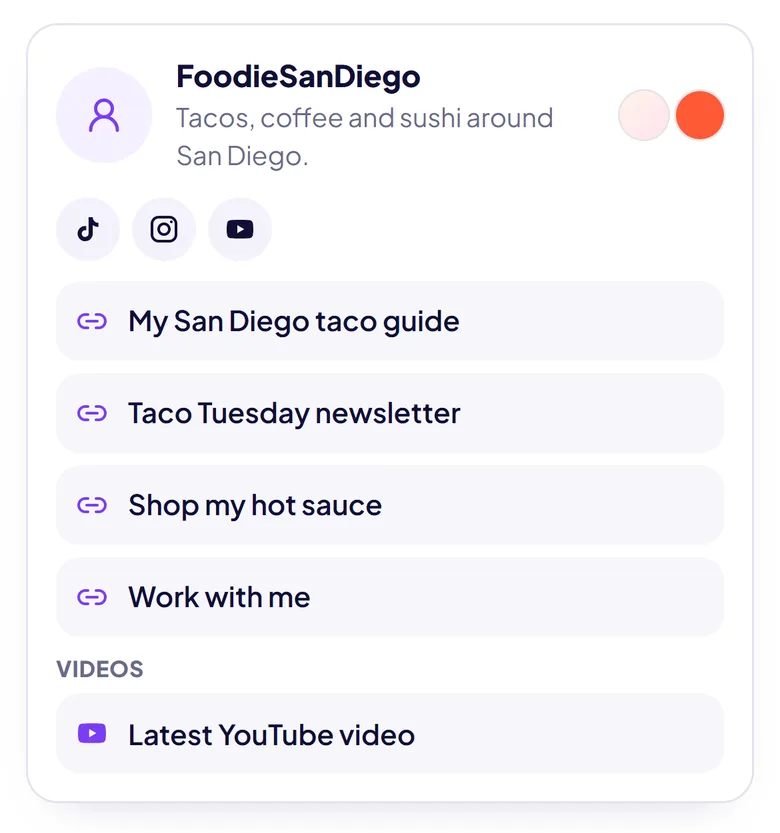
See your name, bio, social links, links in their sections and colors before anything is added. Untick what you don’t want, and see exactly which links fit your plan.
Tap “Add to my page” and your links are on your SocialPin at socialpin.app/yourname. Rearrange them in the editor, then put the new link in your bio whenever you’re ready.
Screenshots of the real importer, shown with an example page.
What comes with you
Here’s exactly what the import brings from your Linktree, and how to finish the rest in the SocialPin editor.
Why SocialPin
SocialPin replaces your Linktree as a standard link in bio: your buttons, social profiles, sections, a spotlight link and your own look on one page. That’s all many people need, and you don’t have to create any map content to use it.
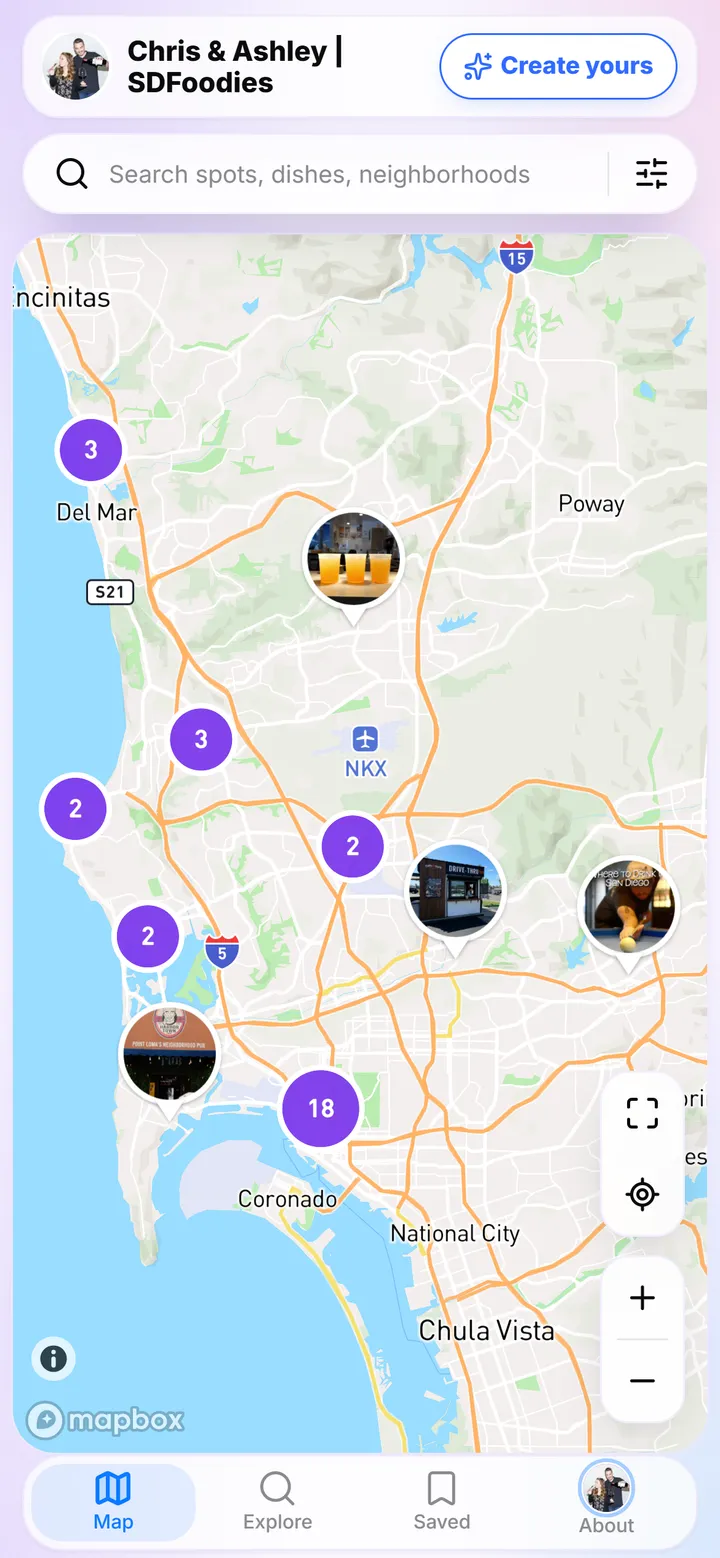
If you post videos about places, there’s more: connect TikTok and your videos can be pinned on an interactive map on your page, so followers can find the restaurants, homes or destinations from your videos long after they’ve left the feed. That’s why creators choose SocialPin over Linktree.
Still comparing? See how SocialPin compares as a free Linktree alternative.

Plans and limits
Simple, creator friendly pricing
Get started with the essentials.
$0/ month
Everything you need to grow.
$6.99/ month
Frequently asked questions
Paste your Linktree URL above, or tap Import My Linktree. Create your free SocialPin account (or sign in), and on the “Bring your links” step we read your public Linktree page and show you a preview. Choose what to bring and tap “Add to my page”. You can also import later from your Profile page.
No. Importing only reads your public Linktree page. Nothing is changed or deleted there, and your Linktree keeps working until you decide otherwise.
Yes. Before anything is added you see your name, bio, photo, social links, links in their sections and colors, and you can untick any part. Afterwards every button can be edited, reordered or removed in your editor.
Yes. Both work side by side: your SocialPin has its own address (socialpin.app/yourname), and you choose when to put it in your bio. Nothing on Linktree changes when you import.
Locked links and links without a normal web address are skipped, links already on your page aren’t added twice, and links beyond your plan’s 5-button free limit are named in the preview before you add anything. You can add any of them by hand in your editor. If a page won’t let us read it, paste your links as text and we’ll set them up.
Yes, importing is free on every plan. The Starter plan includes 1 creator page; import from TikTok, 10 videos at a time; up to 10 videos on your map; basic customization; up to 5 custom buttons; and core analytics. The Creator plan ($6.99/month) holds up to 20 buttons and adds custom branding, advanced analytics and your own domain.
No. SocialPin works as a regular link in bio with your links, social profiles and look. If you post videos about places, you can connect TikTok later and add a map, but you never have to.
Partly, and you can finish it in the editor. The import brings your profile photo, background color or gradient and button color. Fonts, button shapes and background images aren’t imported: choose a SocialPin theme and button style, or use custom branding (your logo, colors, fonts and header image) on the Creator plan.
Keep exploring
A link in bio that shows your places on a map, not just a list.
Compare features, pricing and what’s different.
Create your free SocialPin, paste your Linktree, and review everything before it’s added.
Free plan. No credit card required.