

Experience A
A standard collection of links
A profile, a few socials and a stack of buttons. Simple and familiar, and for many people it’s all they need. Visitors tap the link they came for.
SocialPin vs Linktree
Both help you share your links. SocialPin also helps your followers discover location based TikTok content through an interactive map.
SocialPin’s free plan includes up to 5 custom buttons and 10 videos on your map. No credit card required.
Side by side
Both are link-in-bio pages, so most basics overlap. The differences are in the free plan’s limits, selling tools, and SocialPin’s map of your videos.
| Feature | SocialPin | Linktree |
|---|---|---|
| Free plan | SocialPinFree plan Yes: the Starter plan, no credit card. | LinktreeFree plan Yes: a Free plan (“free with restrictions”). Source: Linktree pricing and “All Features” table (opens in a new tab) |
| Basic links | SocialPinWith limits Up to 5 buttons free, up to 20 on Creator. | LinktreeFree plan Unlimited links on every plan, including Free. Source: Linktree pricing and “All Features” table (opens in a new tab) |
| Social media icons | SocialPinFree plan TikTok, Instagram, Facebook, YouTube, X, Discord, LinkedIn, website and email. | LinktreeFree plan Social icons on every plan, with click analytics. Source: Linktree help: add social icons (opens in a new tab) |
| Profile customization | SocialPinFree plan Photo, name, bio and basic customization free. Your logo, colors, fonts, header image and map style on Creator. | LinktreeFree plan Free themes with color, font and button tweaks. Advanced themes, wallpapers and a hero image on Pro. Source: Linktree help: choose a theme (opens in a new tab) |
| Link appearance | SocialPinFree plan Icons or photo thumbnails on buttons, two button styles, a spotlight link and scheduled links. | LinktreeFree plan Thumbnails and icons free. Animated and spotlighted links and scheduling from Starter; advanced button and font styles on Pro. Source: Linktree help: thumbnails and icons on links (opens in a new tab) |
| Analytics | SocialPinWith limits Core numbers free. Per-link and per-place stats, trends, city and device, TikTok traffic and CSV export on Creator. | LinktreeWith limits Lifetime insights free (28 days of history). Per-link insights from Starter; location, device and referrer insights on Pro; data export on Premium. Source: Linktree help: individual link insights (opens in a new tab) |
| Importing an existing Linktree | SocialPinFree plan Paste your Linktree URL, preview what was found, then add it (within your plan’s button limit). | LinktreeNot applicable Not applicable: it’s the page you’d be importing. Source: Linktree pricing and “All Features” table (opens in a new tab) |
| Organizing links | SocialPinFree plan Up to 3 named sections of buttons. | LinktreeFree plan Link collections free; grid, carousel and showcase layouts from Starter. Source: Linktree help: organize your links with collections (opens in a new tab) |
| TikTok video discovery | SocialPinFree plan Connect TikTok and your videos about places become pins on your map: 10 free, unlimited on Creator. | LinktreeWith limits A TikTok Profile link app shows your profile and six TikToks (or your latest), and TikTok videos can be embedded. Source: Linktree pricing and “All Features” table (opens in a new tab) |
| Interactive geographic map | SocialPinFree plan A map of the places from your videos, with a page for each place. | LinktreeWith limits A Maps link app adds a Google Maps location to your page. Source: Linktree pricing and “All Features” table (opens in a new tab) |
| Discovering videos by neighborhood | SocialPinFree plan Followers search and browse your videos by place, dish or neighborhood. | LinktreeNot listed Not among the features on Linktree’s pricing page. Source: Linktree pricing and “All Features” table (opens in a new tab) |
| Creator branding | SocialPinPaid plan Custom branding and removing the SocialPin footer on Creator (a small “Made with SocialPin” stays). | LinktreePaid plan Hide the Linktree footer, custom title styling and logo title on Pro and Premium. Source: Linktree help: hiding the Linktree logo (opens in a new tab) |
| Selling and email tools | SocialPinNot offered Not built in: link to your shop or booking page. A button can open a simple form. | LinktreeFree plan Email and phone sign-ups, digital products, bookings and courses, with more on paid plans. Source: Linktree pricing and “All Features” table (opens in a new tab) |
| Paid plan limits | SocialPinPaid plan Creator: $6.99/month. Up to 20 buttons, unlimited videos on your map, 50 videos per import. | LinktreePaid plan Starter, Pro and Premium (prices below). Unlimited links on every plan. Source: Linktree pricing and “All Features” table (opens in a new tab) |
Linktree details reviewed from Linktree’s own pricing page and help center. Features and prices change, so check linktr.ee/s/pricing for current details. “Not listed” means we didn’t find it among the features Linktree lists.
Who each one suits
Based on Linktree’s pricing page, reviewed November 14, 2026.
A modern personal link page
Your links, socials, a spotlight and your own look, without needing any videos.
Link in bioFood content creators
Every restaurant, café and bar from your videos on a map followers can browse.
For food creatorsReal estate content creators
Home tours pinned where the homes are, so buyers can browse by neighborhood.
For real estateTravel content creators
Beaches, viewpoints and cafés from your trips, pinned anywhere in the world.
For travel creatorsPeople moving from Linktree
Paste your Linktree URL to bring your links, socials, photo and colors over.
How importing worksWhat visitors see
Experience A
A profile, a few socials and a stack of buttons. Simple and familiar, and for many people it’s all they need. Visitors tap the link they came for.
Experience B
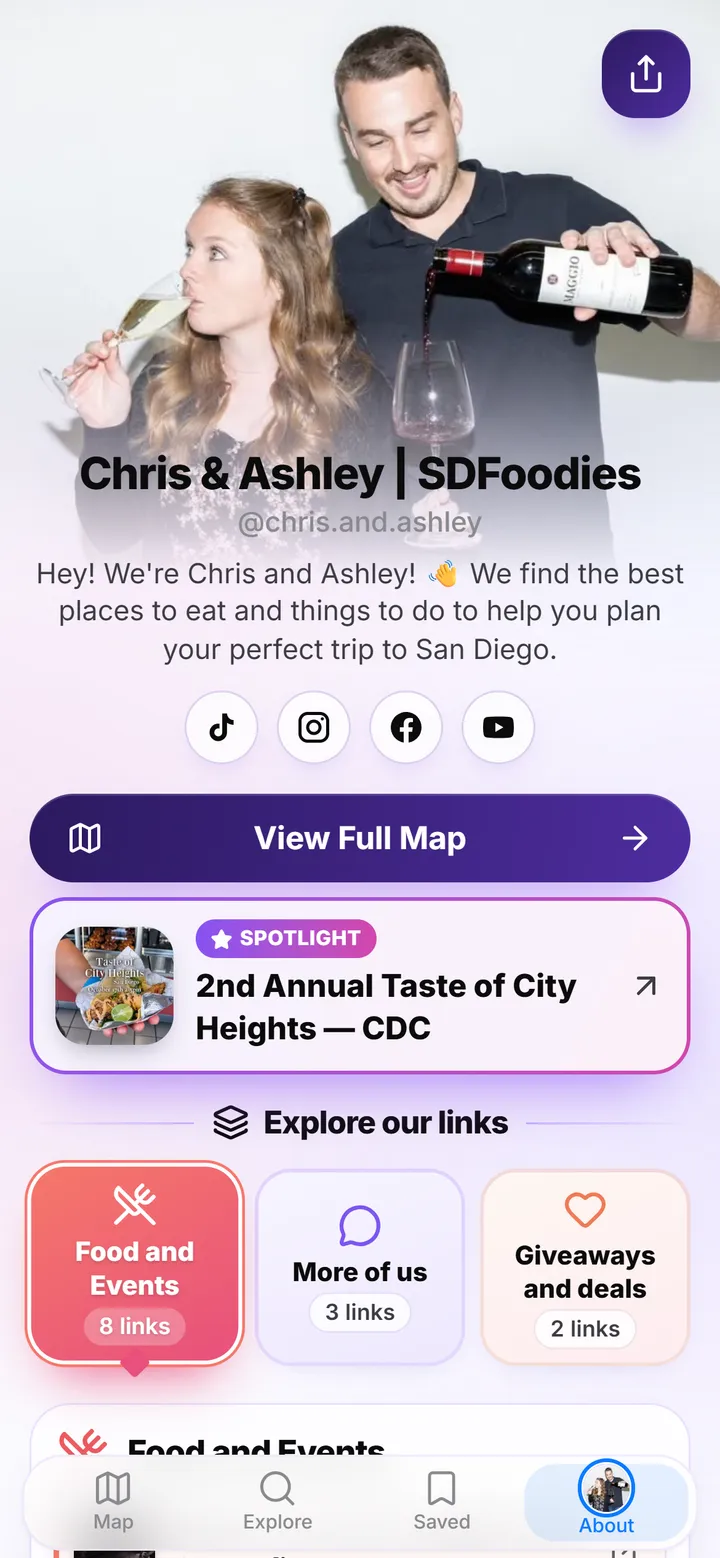
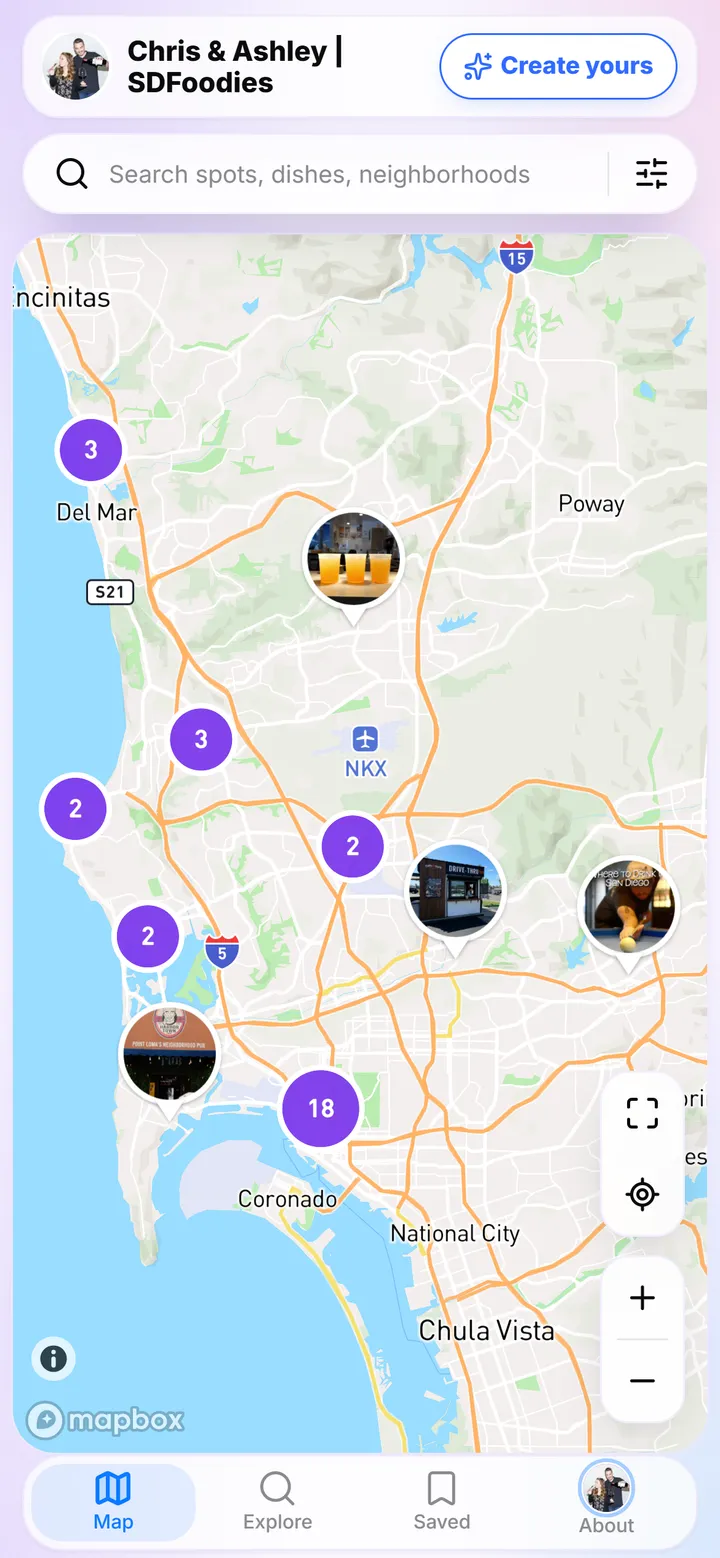
Steve’s SocialPin is a classic link hub. Chris & Ashley’s adds a map of the San Diego spots from their videos, which followers can search by place, dish or neighborhood.
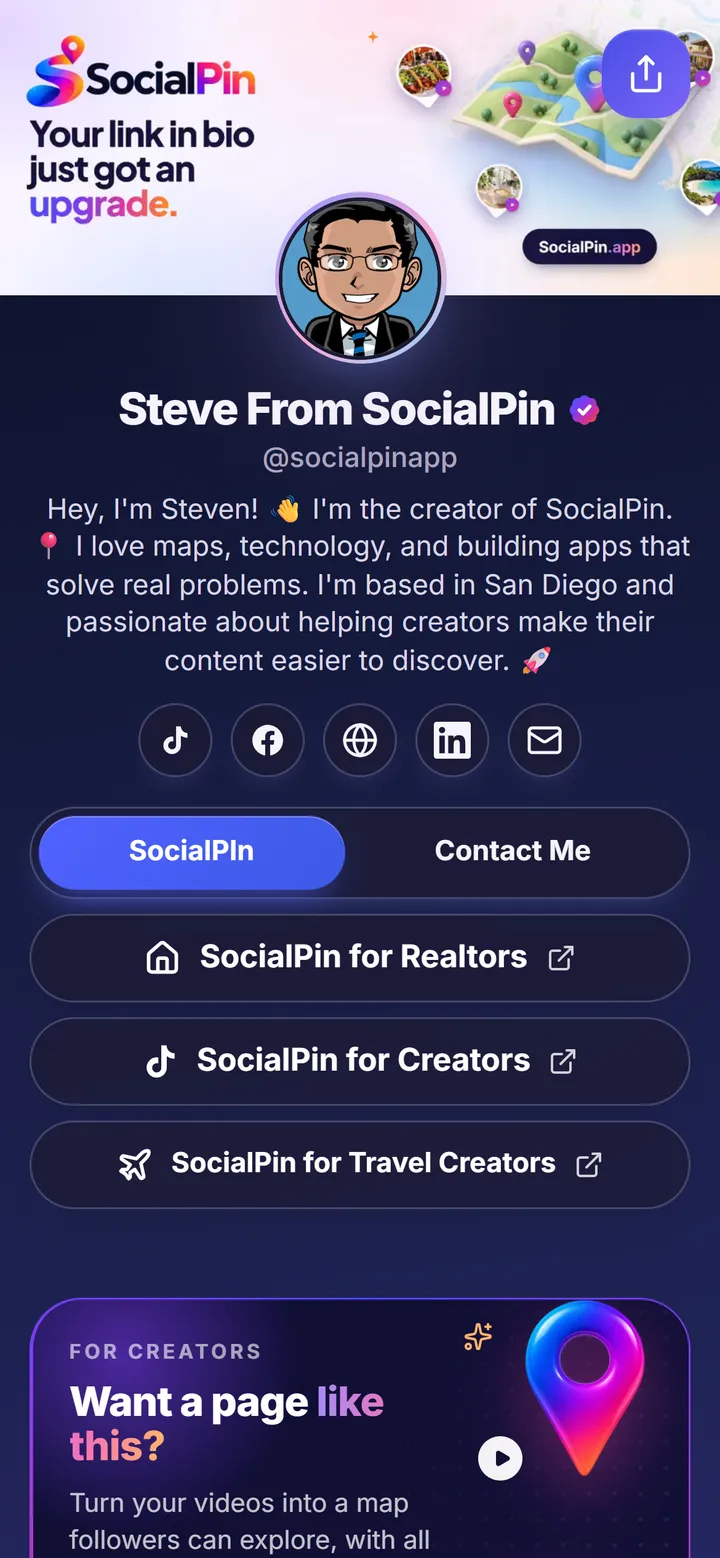
Real SocialPin pages, shown as examples of SocialPin.
The SocialPin difference
A TikTok you posted months ago is hard to find again. Followers scroll back through your profile, give up, or message you to ask where that place was. SocialPin keeps each place from your videos on a map, so the video stays useful long after it leaves the feed.
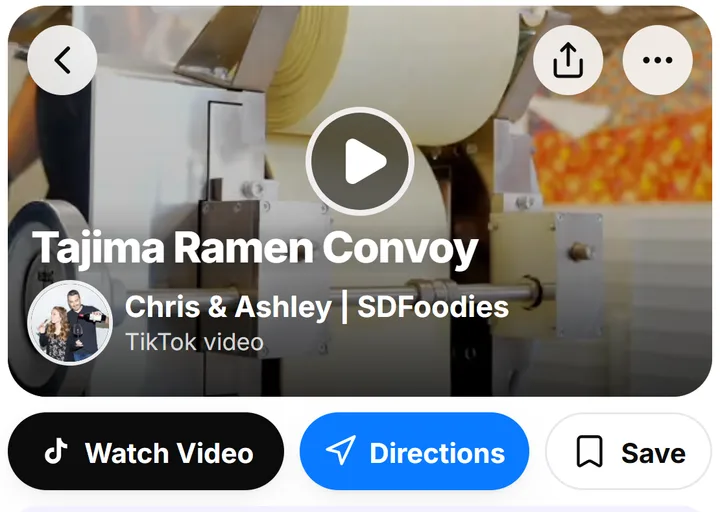
Chris & Ashley post a video about Tajima Ramen on Convoy.
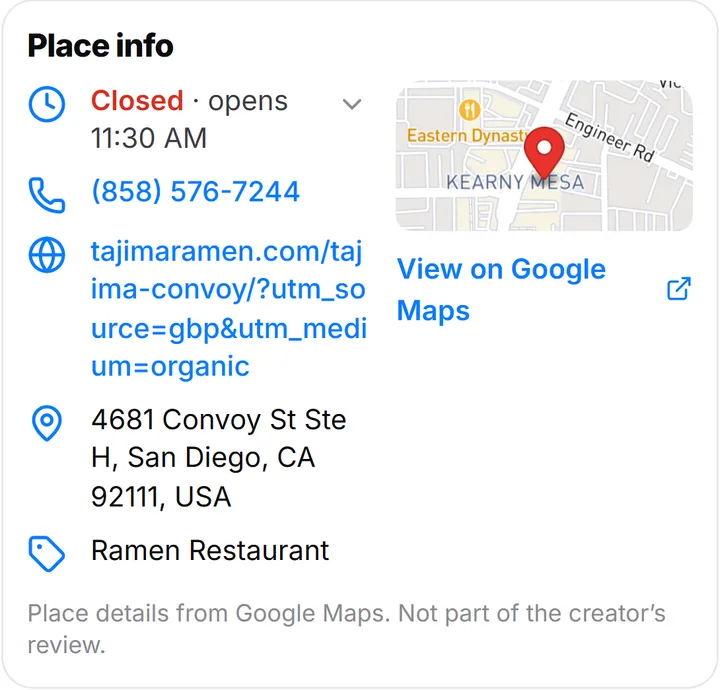
The place from the video, with its address, hours and a small map.
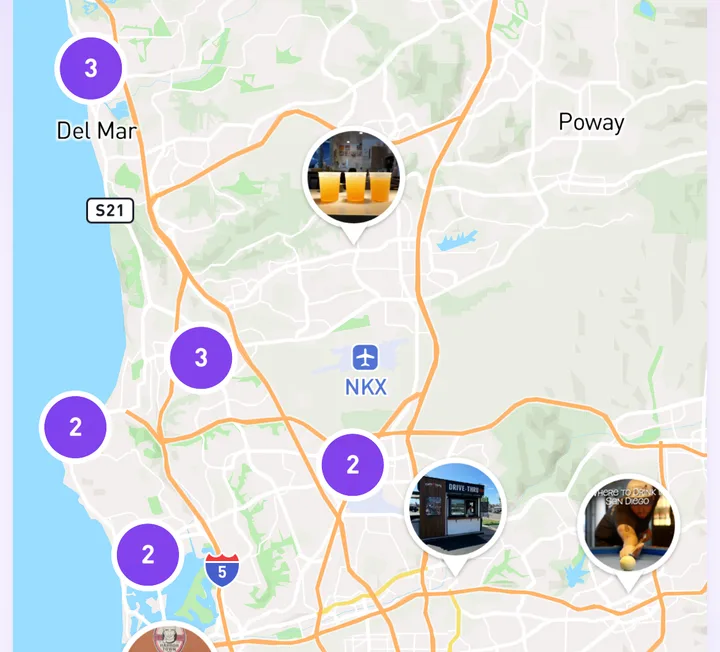
Each place becomes a photo pin on their map, alongside the rest of their spots.
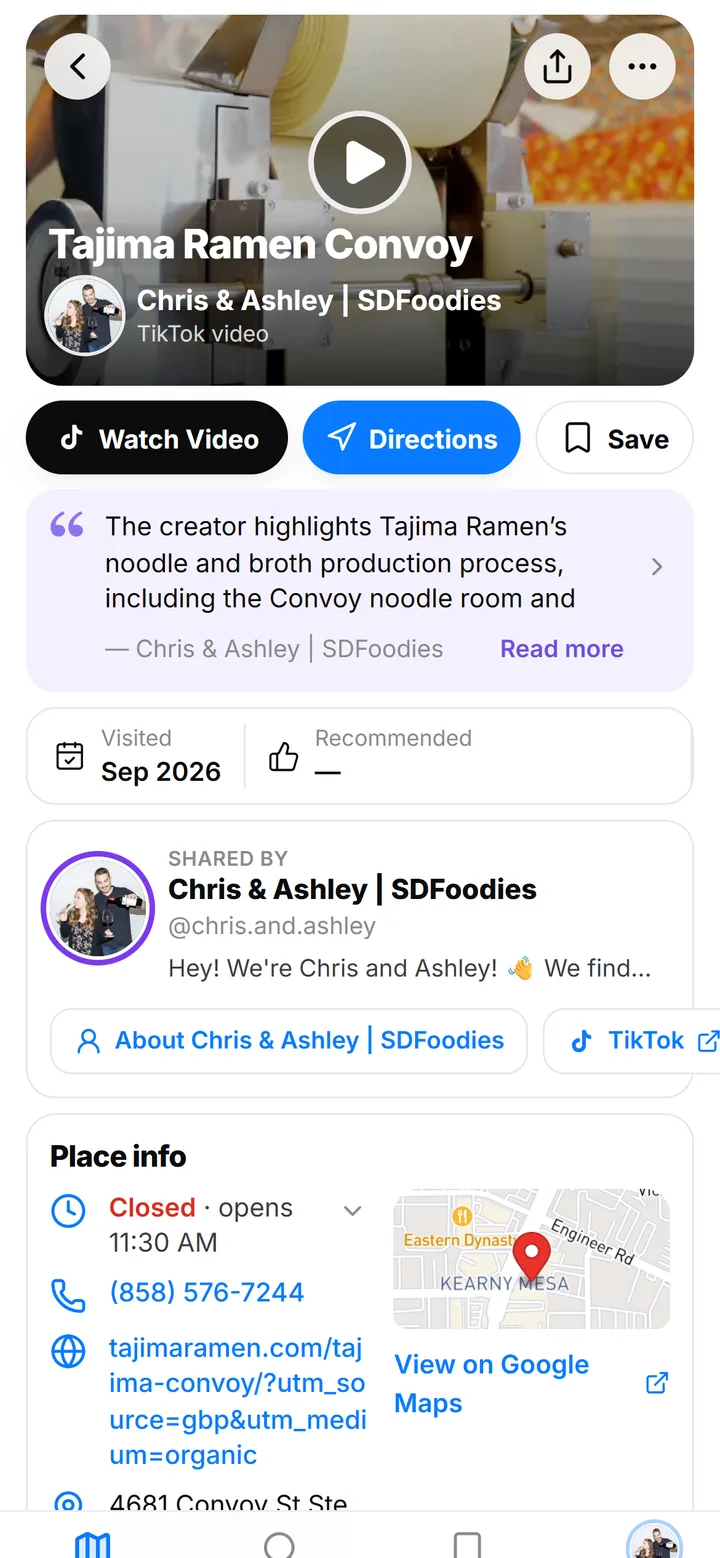
Tapping the pin opens a page with the video, directions and a save button. Open this page
Screenshots of Chris & Ashley’s live SocialPin. SocialPin suggests a location for each video; creators review and confirm them, so not every video is placed automatically.
Switching
SocialPin’s importer reads your public Linktree page. Nothing on Linktree changes, so you can keep it while you try SocialPin. Here’s how to switch from Linktree in one paste.
Want the bigger picture first? See why SocialPin is a free Linktree alternative.
Pricing
Linktree’s free plan includes unlimited links, while SocialPin’s free plan holds 5 buttons. SocialPin’s one paid plan is billed monthly; Linktree’s paid plans are cheaper per month when billed annually. Which is better value depends on the features you’ll use.
As listed on Linktree’s pricing page on . Team plans start at $49/mo. Prices may have changed since; check Linktree for current pricing.
Frequently asked questions
It depends on what you need. Linktree is a mature link in bio with unlimited links on its free plan and built-in tools for selling and email sign-ups. SocialPin covers the core link-in-bio features and adds an interactive map, so it’s a better fit if you post videos about places, like restaurants, homes or travel spots, and want followers to find them again.
Yes. The Starter plan is free with no credit card: your page, social links, up to 5 custom buttons, link sections and up to 10 videos on a map. The Creator plan is $6.99 a month for up to 20 buttons, unlimited videos on your map, custom branding, advanced analytics and your own domain.
Yes. Linktree’s pricing page lists a Free plan with unlimited basic links and email and phone sign-ups, plus paid Starter, Pro and Premium plans (checked November 14, 2026; see Linktree’s pricing page for current details).
Yes. Paste your Linktree URL and SocialPin brings over your links (with their sections and photos), social links, name, bio, profile photo and colors. You preview everything first, and buttons count toward your plan: 5 on the free plan, 20 on Creator.
Yes. SocialPin works as a regular link in bio with your links, social profiles and look. Connecting TikTok and adding a map is optional.
The map. If you post videos about places, SocialPin pins each one where it happened, with a page for the place, your video, the address and directions. Followers can search and browse by neighborhood instead of scrolling back through your feed. Locations are suggested from each video, and you review and confirm them.
Yes. Importing only reads your public Linktree page and doesn’t change it. You can keep both and choose which link goes in your bio.
Reviewed . SocialPin details come from SocialPin’s current plans and product.
Linktree is a trademark of its owner. SocialPin isn’t affiliated with, sponsored by or endorsed by Linktree.
Keep exploring
A link in bio that shows your places on a map, not just a list.
Move all your links to SocialPin in minutes.
Start free in minutes, or bring your Linktree with you.
Free plan. No credit card required.