

For anyone
A personal link hub, with or without TikTok.
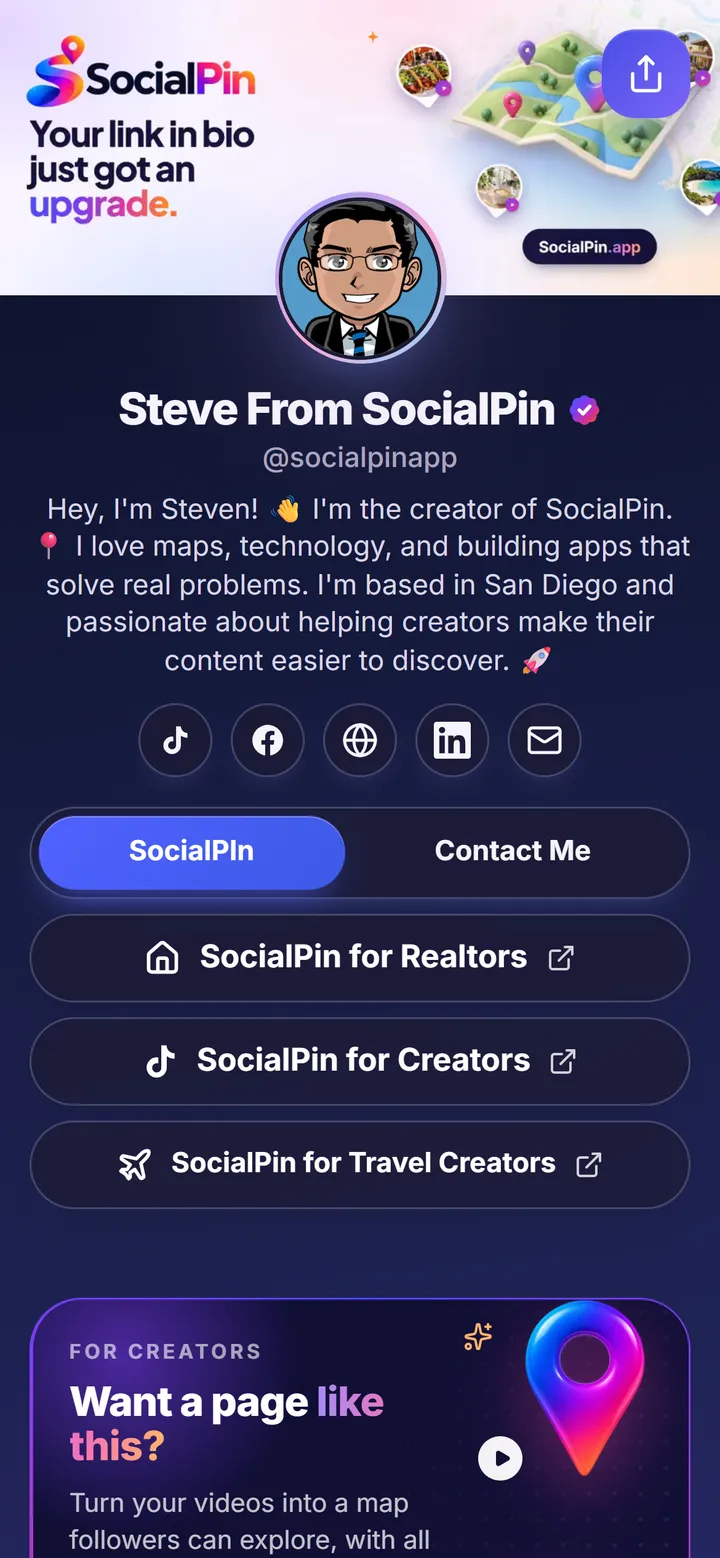
Steve’s page is a classic link in bio done his way: a banner, his social profiles, a contact button and links grouped into tabs, in a dark theme. No videos needed.
Free Linktree alternative
Everything you need for a beautiful link in bio, plus an interactive map that makes your TikTok content easier to discover.
Bring your existing links, social profiles, and branding to SocialPin without starting over.
Free plan includes up to 5 custom buttons and 10 videos on your map. No credit card required.
More than a list of links
Most link-in-bio tools handle the basics well, and SocialPin does too. Then it adds a map that keeps the places from your videos easy to find.
| Feature | Typical link in bio | SocialPin |
|---|---|---|
| A collection of linksButtons for your site, shop, bookings and anything else | Included | Included |
| Social profile buttonsTikTok, Instagram, YouTube and more, as the icons people know | Included | Included |
| Creator brandingYour photo, theme and look (full custom branding on the Creator plan) | Included | Included |
| Link importingPaste your Linktree or Beacons link and review what comes over | Varies by tool | Included |
| TikTok video discoveryYour TikToks about places, browsable long after they leave the feed | Not typically | Included |
| An interactive mapEvery place you post, pinned on a map on your page | Not typically | Included |
| Content organized by locationFollowers search and browse your videos by place and neighborhood | Not typically | Included |
“Typical” reflects the standard features of popular link-in-bio tools. Individual tools and plans vary. See a detailed SocialPin vs Linktree comparison.
Real SocialPin pages
For anyone
Steve’s page is a classic link in bio done his way: a banner, his social profiles, a contact button and links grouped into tabs, in a dark theme. No videos needed.
For location-based creators
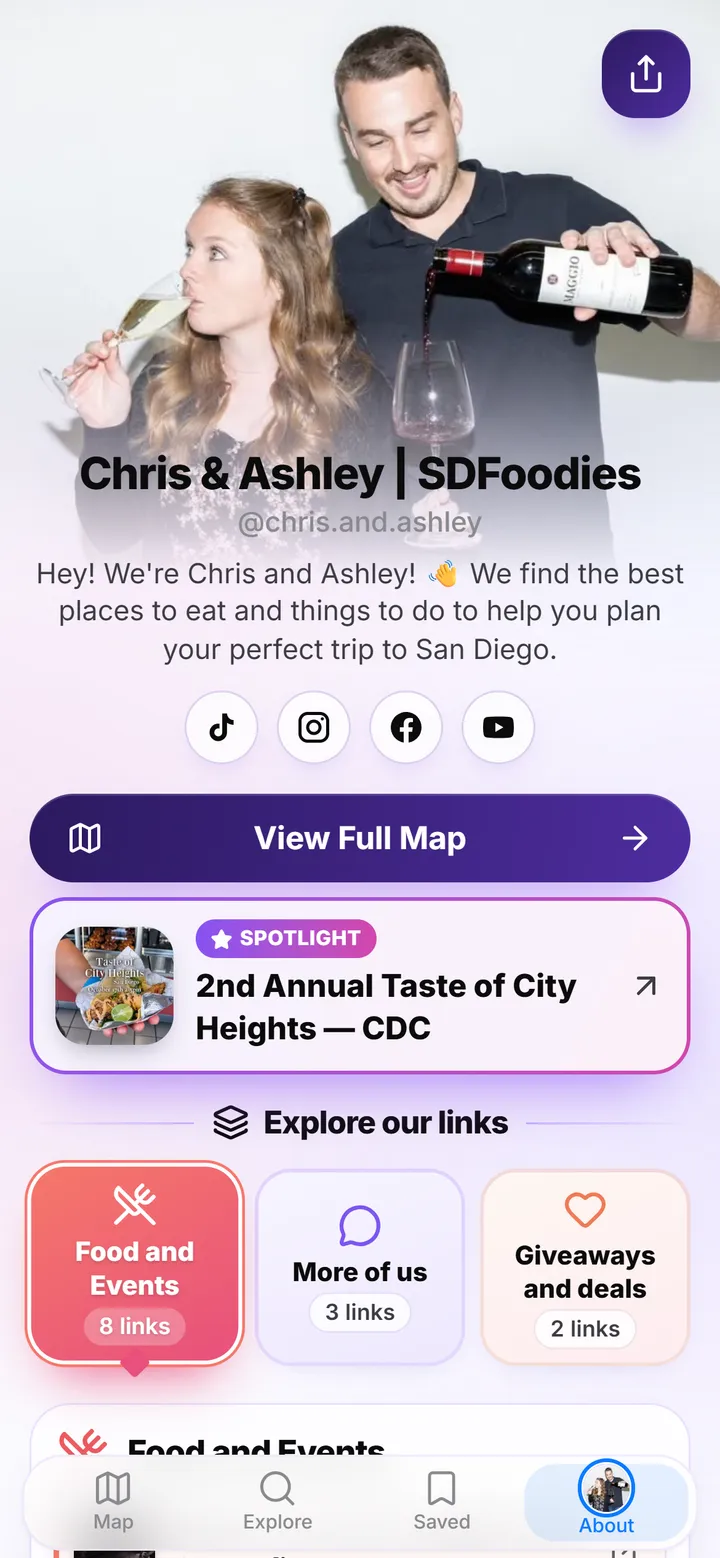
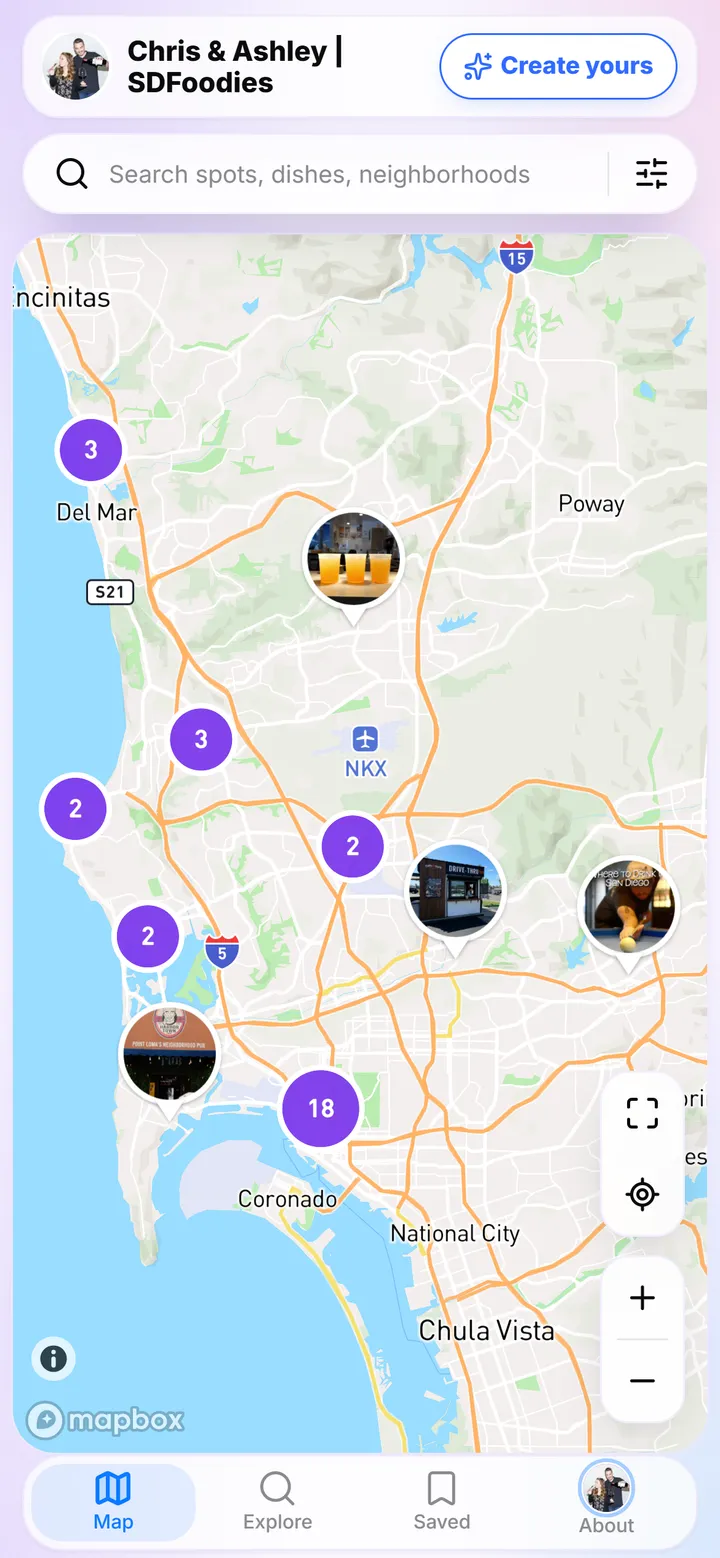
Chris & Ashley share San Diego’s best places to eat and things to do. Their SocialPin has their links in collections, a spotlight for what’s coming up, and a map of the restaurants and places from their videos, each with the video they posted.
Switching is easy
Create your free account first, then paste your Linktree URL. Here’s how to import your Linktree step by step, or see how we compare to Linktree.

It only fills what’s empty, so nothing you’ve already set up is replaced. Buttons count toward your plan: 5 on the free plan, up to 20 on Creator.
Coming from Beacons? Paste that link instead. Anywhere else, paste your links as text and they’re sorted into buttons.
How the map works
A video you posted months ago is hard to find. Followers scroll back through your profile, give up, and message you asking where that restaurant was. Your best recommendations end up buried in the feed.
Connect TikTok and choose your videos. SocialPin suggests a location for each one, and you review and confirm them, fixing any it got wrong, before they go on your map. Followers can then browse, search, watch and get directions.
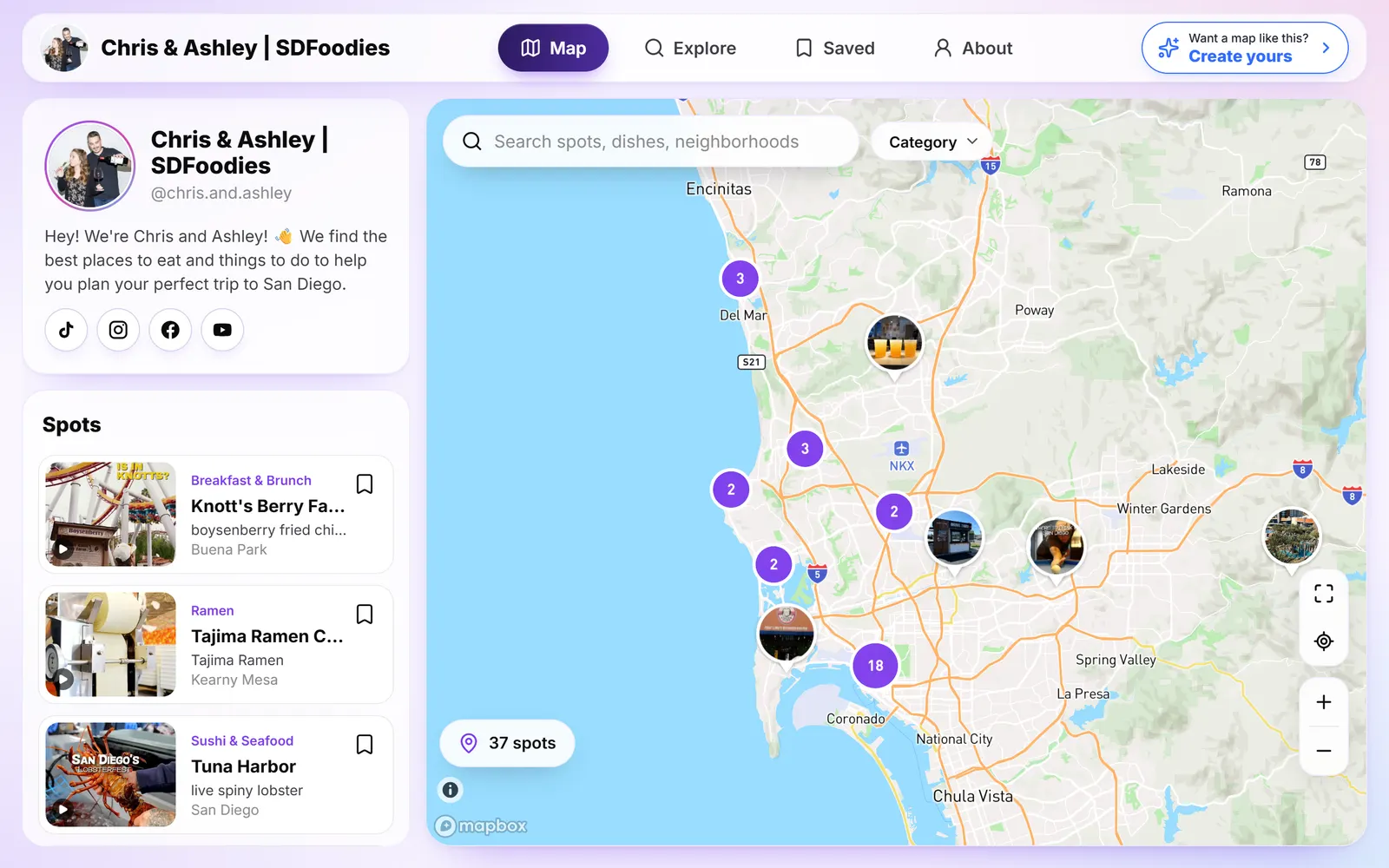
Every restaurant, café and bar from your videos, pinned where it is.
Chris & Ashley’s live map of San Diego.
SocialPin for food creators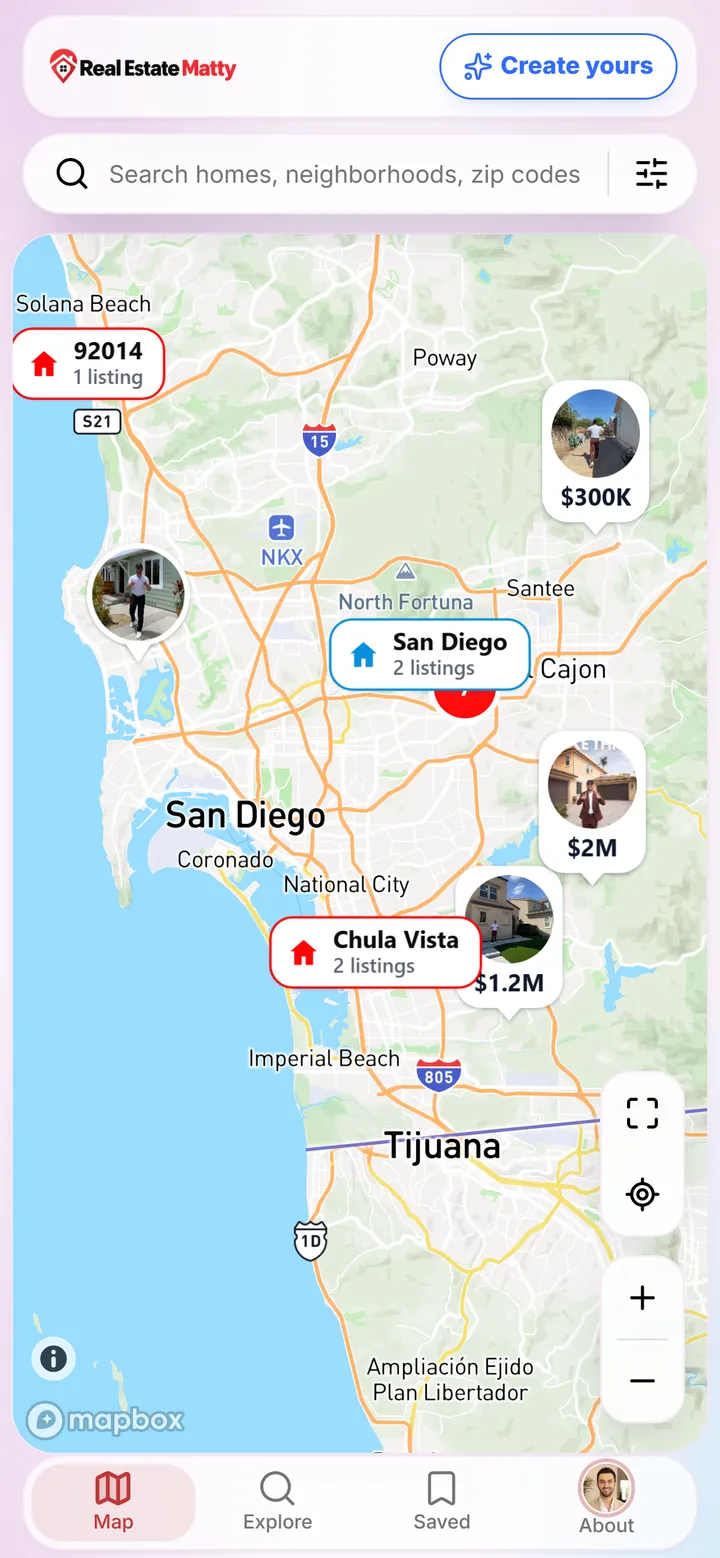
Each home tour on the map with its price, so buyers can browse by neighborhood.
Real Estate Matty’s live map of San Diego listings.
SocialPin for real estate agentsBeaches, cafés and viewpoints from your trips, pinned anywhere in the world.
Illustration with a fictional travel creator.
SocialPin for travel creatorsFeatures
Buttons with icons or photos, plus a spotlight and scheduled links.
5 free · 20 on Creator
Your TikTok, Instagram, YouTube and more, one tap away.
Free
Basic customization for everyone; your logo, colors, fonts and header image on Creator.
Full branding on Creator
Bring your links, socials, photo and colors over in one paste.
Free
Group your buttons into up to 3 named sections.
Free
Your videos about places, pinned on an interactive map.
10 videos free · unlimited on Creator
Each place opens the TikTok you posted about it, with directions.
Free
Core numbers for everyone; place-by-place, trend and tap analytics on Creator.
Advanced on Creator
Want the full tour? See everything SocialPin’s link in bio can do.
Simple, creator friendly pricing
Get started with the essentials.
$0/ month
Everything you need to grow.
$6.99/ month
Frequently asked questions
Yes. The Starter plan is free with no credit card: your page, your social links, up to 5 custom buttons in up to 3 sections, and up to 10 TikTok videos on a map. The Creator plan ($6.99/month) adds up to 20 buttons, custom branding, advanced analytics, your own domain and unlimited videos on your map.
Yes. Paste your Linktree URL during sign-up or later from your Profile page. SocialPin reads your name, bio, profile photo, social links, buttons (with their sections and photos) and colors, shows you a preview, and you choose what to bring. It only fills what’s empty on your page, and buttons count toward your plan’s limit (5 free, 20 on Creator). Beacons links work too, or you can paste a list of links.
No. You can use SocialPin purely as your link in bio: links, social profiles and your branding on one page. If you post videos about places on TikTok, connect it whenever you like and those videos can go on a map on your page.
Yes. Everyone can set their photo, name, bio, social links and buttons with icons or photos, with basic customization of the page’s look. The Creator plan adds custom branding (your logo, colors, fonts, header image and map style) and removes the SocialPin footer.
Yes. Split your buttons into up to 3 named sections, like “Links”, “Shop” and “Events”, and each shows as its own group on your page. You can also spotlight one link at the top and schedule links to appear and disappear on their own.
Both give you a page of links and social profiles in your own style. SocialPin adds an interactive map: if you post videos about places, like restaurants, homes or destinations, each one can be pinned with its video, the address and directions, so followers can find it again long after it has left their feed.
Connect TikTok and choose the videos to bring in. SocialPin looks for the place in each video’s caption and suggests a location. Suggestions aren’t always right, so you review them, fix or add any that are wrong or missing, and publish. Followers can then browse and search your map, open a place to watch your video, get directions, and save it to their own list.
The Starter plan includes: 1 creator page; import from TikTok, 10 videos at a time; up to 10 videos on your map; basic customization; up to 5 custom buttons; and core analytics. Social links, link sections and importing from Linktree are free too. No credit card required.
Keep exploring
Move all your links to SocialPin in minutes.
Compare features, pricing and what’s different.
Start fresh in minutes, or bring your Linktree with you.
Free plan. No credit card required.


